

Most feedback tools only see one slice of the customer relationship. Support tickets, maybe. Or NPS surveys. But HubSpot is different — it captures what happens before and after the sale. Sales calls, email threads, meeting notes, support tickets, deal stages. It's all there. Pilea connects to HubSpot and pulls in all of it. Not just the support side — the sales side too. That means you're hearing what prospects object to before they buy, what new customers struggle with during onboarding, and what long-time customers keep asking for. All of it structured, all of it linked to real companies and real revenue. This is the kind of context that changes how you prioritize. When you can see that enterprise prospects keep asking about SSO in sales calls while your existing customers are filing tickets about API rate limits, you're making decisions with the full picture — not just the loudest channel.
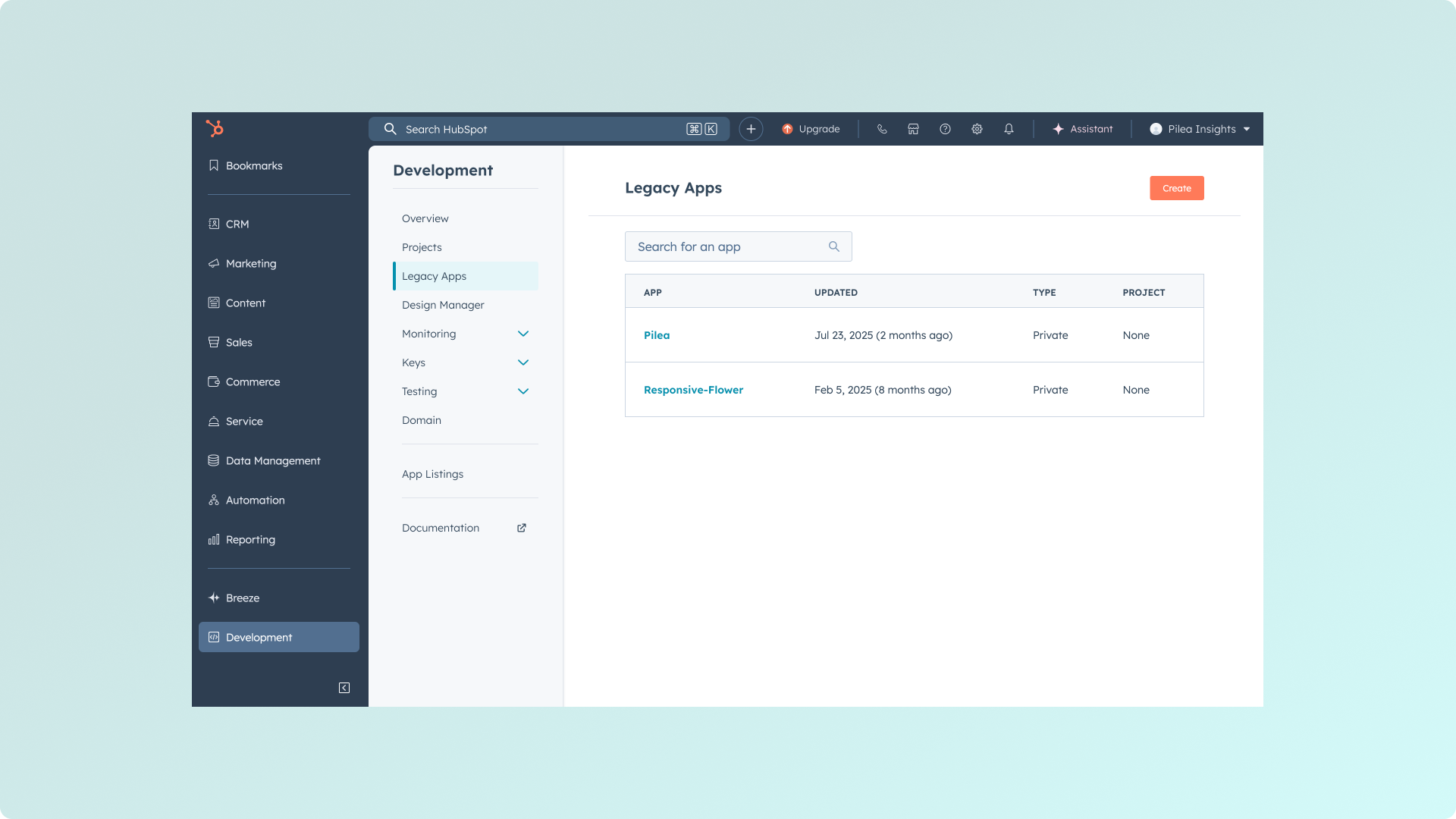

Administrator access is required to set up this integration.
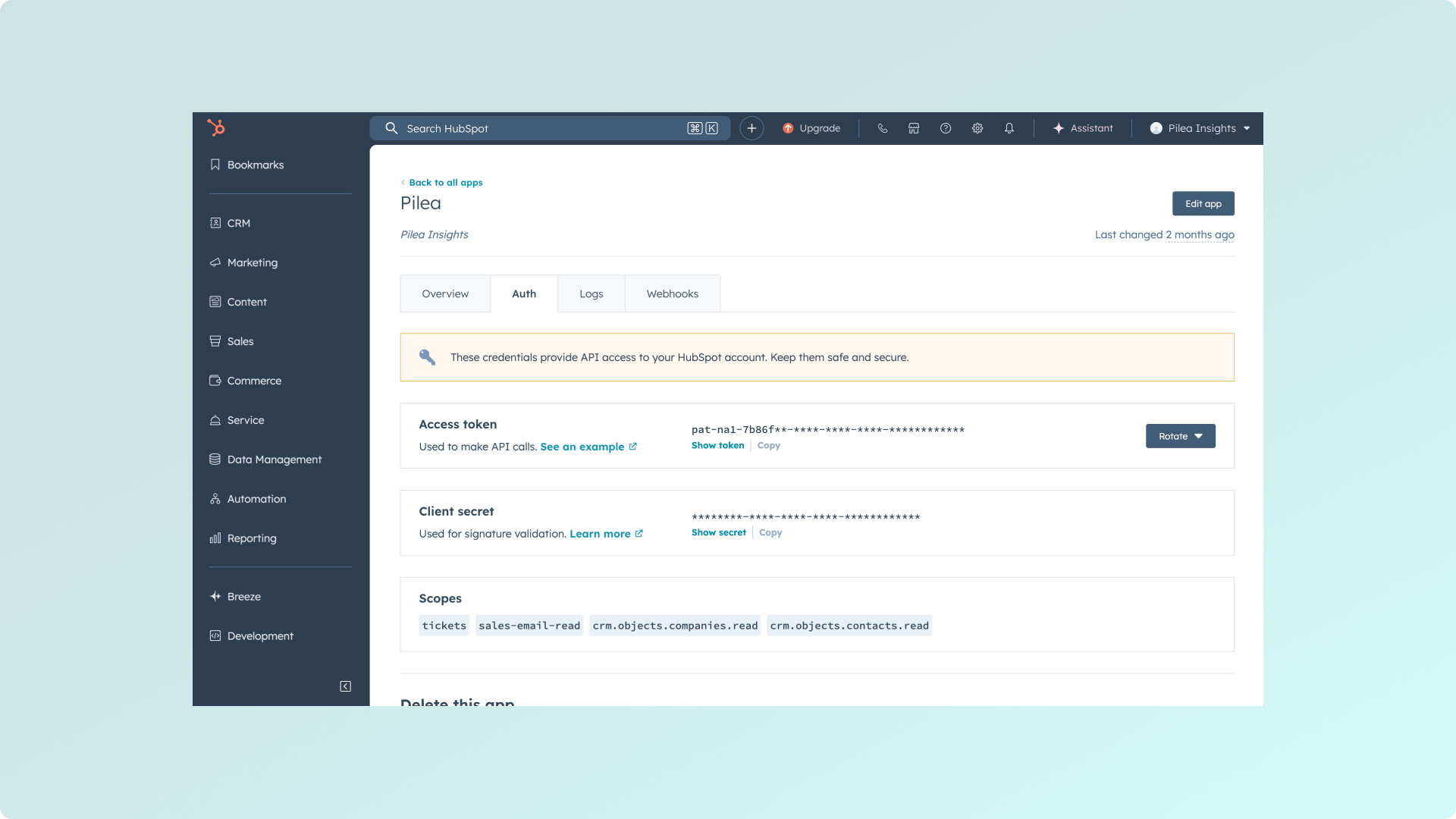
You'll need to provide:
tickets - Access to HubSpot Service Hub ticketssales-email-read - Read sales email datacrm.objects.companies.read - Read company informationcrm.objects.contacts.read - Read contact informationNote: Only select the scopes that Pilea actually needs to function. Contact Pilea support if you're unsure which scopes are required for your specific use case.
Security Note: This access token provides access to your HubSpot data. Keep it secure and only share it through Pilea's secure connection form.
Your Account ID (also called Hub ID) is required for the Pilea integration:
app.hubspot.com/ in the URLhttps://app.hubspot.com/contacts/12345678/objects/...12345678
Once your HubSpot integration is live, Pilea starts working in the background. No manual exports, no copying and pasting—just continuous syncing while you focus on building.
Support Tickets (if you use them)
Every support conversation gets automatically scanned for product feedback. Bug reports, feature requests, and pain points flow straight into Pilea without your support team lifting a finger.
Engagements: Sales Notes & Emails
Your sales team hears everything first—the objections, the "we'd love this if only..." comments, the casual feature mentions in email threads. We pull those engagements (notes and emails tied to company records) so you're not missing what prospects are actually saying.
Customer List Sync
Turn this on if you want to connect feedback to actual customer data. When we know who's asking for what, you can prioritize based on account value, segment, or lifecycle stage. It's the difference between "3 people want this" and "3 enterprise customers want this."
All this HubSpot data flows into your dashboard alongside feedback from every other source. Pilea tags and organizes everything automatically, so you're seeing patterns, not drowning in individual data points.
The sync runs continuously.